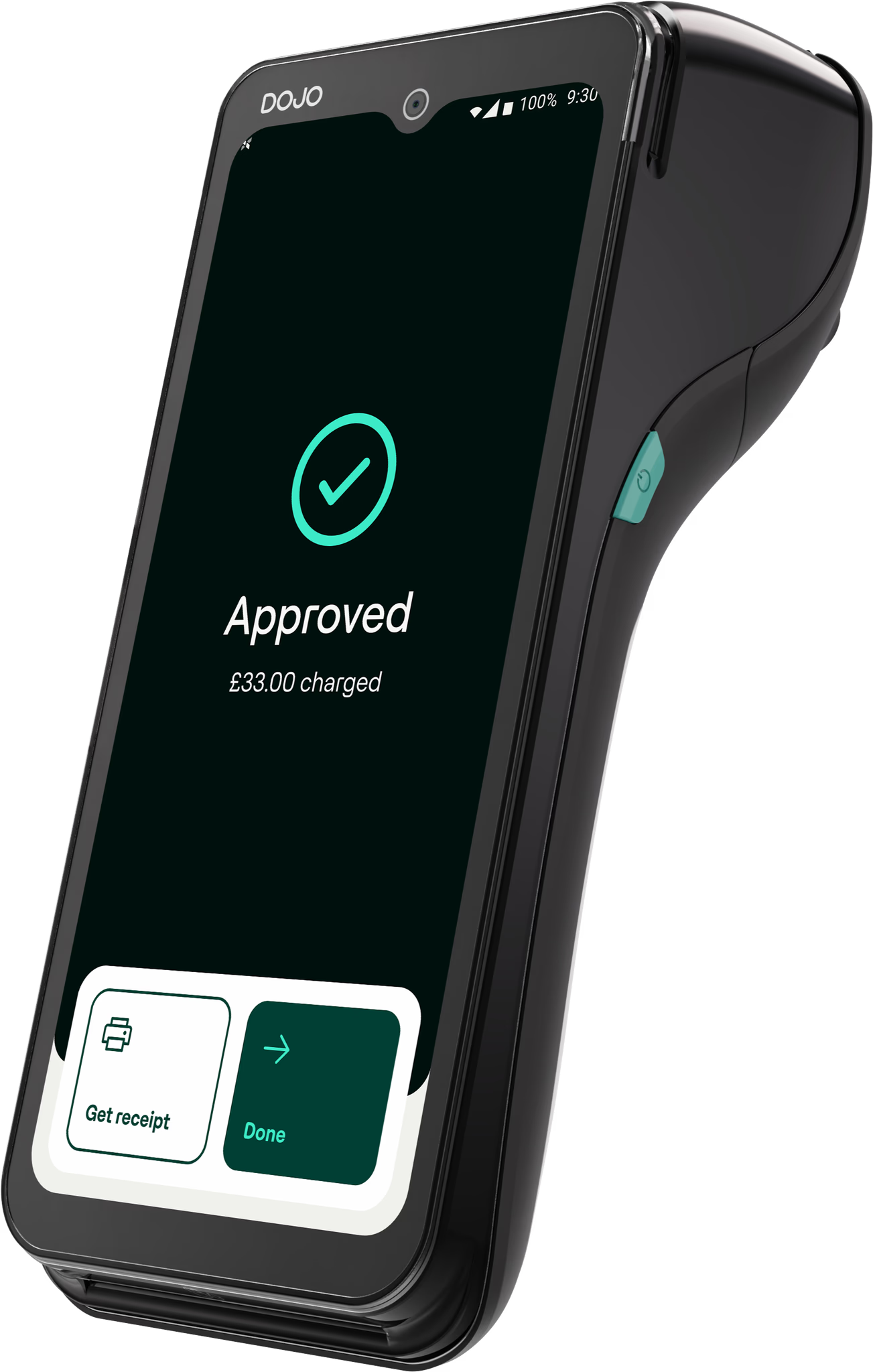
The Dojo devices, compared
Dojo's card machines cover everything from a full countertop-and-portable setup to a pocket reader for a market stall. Here's how the main options differ.
| Device | Best for | Receipt | Connectivity |
|---|---|---|---|
| Dojo Go Max | Portable payments with a 6.5-inch touchscreen; battery life depends on usage | Built-in printer | WiFi + 4G, auto-switching |
| Dojo Pocket | 143g handheld for hospitality; ordering requires a supported EPOS integration | Digital (QR / email) | WiFi + 4G, auto-switching |
| Dojo Wired | Countertop and self-service kiosk — mains-powered, tethered, nothing to charge | Digital / via EPOS | WiFi or Ethernet |
| Tap to Pay on iPhone | Contactless payments on a compatible iPhone; Dojo account and payment terms apply | Digital | Via the Dojo app |
Dojo Go Max has a built-in printer and WiFi/4G connectivity. Dojo Pocket is a lightweight handheld with digital receipts; order-and-pay functionality depends on the connected EPOS. Dojo Wired is mains-powered with WiFi or Ethernet. Tap to Pay on iPhone uses a compatible iPhone and the Dojo app. Confirm the device, software, receipt options and network requirements before ordering.
What the fees actually look like
We start with how your business trades, not a headline percentage. Your proposal sets out the transaction rates, device costs and any additional fees that apply to your setup. We explain the overall cost and terms so you can compare the proposal with your current arrangement. Expect two main components:
- Device costs — purchase or rental charges, depending on the chosen plan
- A transaction fee — a percentage (and sometimes a small fixed amount) on each payment
We negotiate pricing for your business and explain your options clearly. Any savings depend on your current arrangement and the final proposal; they are not guaranteed. Ask for your bespoke proposal →
Next-day settlement
Dojo offers settlement options, but the schedule, any upgrade charge and possible holds depend on your account terms. Confirm the payout timetable, weekends and bank holidays, cut-off times and bank processing before relying on a particular arrival time.
We've written a full explainer on the timing, weekends and bank holidays: when does Dojo pay out? →
Key features worth knowing
- Contactless & digital wallets — Apple Pay, Google Pay and contactless cards as standard
- Tap to Pay on iPhone — no separate card reader, but a compatible iPhone, supported software and Dojo account are required; payment fees and terms still apply
- Connectivity — Go Max and Pocket support WiFi/4G; Wired uses WiFi or Ethernet. Coverage and availability are not guaranteed
- The Dojo app & dashboard — real-time takings, reporting and payout tracking from your phone
- Integrations — confirm your exact EPOS supplier, version and supported payment workflows
How to review a Dojo proposal
We help you understand a Dojo proposal alongside your existing agreement. We are an independent introducer, may receive a fee, and do not provide a whole-market comparison or guarantee the lowest rate. Our review covers:
- Compare the proposal with your own statements, card mix and trading pattern
- Clarify the transaction fees, device charges, plan, term and optional services
- Check the switch — notice, cancellation costs and device returns remain your responsibility under your existing agreement
An initial consultation is free and without obligation. This does not make the payment service or devices free. Ask for a written proposal and decide whether switching is worthwhile for your business.
Dojo card machine FAQs
How much does a Dojo card machine cost?
Your proposal should confirm transaction rates, device purchase or rental costs, other charges and contract terms. Options depend on your business and the selected plan. Time Consulting does not promise a universal price, free device or guaranteed saving.
What is the difference between Dojo Go Max, Pocket and Wired?
Go Max is portable with a built-in printer and WiFi/4G. Pocket is a lightweight handheld with digital receipts and supported EPOS ordering integrations. Wired is mains-powered with WiFi or Ethernet. Confirm exact functionality and availability for your setup.
Does Dojo offer next-day settlement?
Dojo offers settlement options, subject to account terms and any upgrade charges. Confirm the payout schedule, cut-offs, weekends, bank holidays and possible holds; a release time is not a guaranteed bank arrival time.
Does Dojo support Tap to Pay on iPhone?
Yes, with a compatible iPhone, supported software and a Dojo account. It does not require a separate card reader, but payment fees and contract terms still apply. Check current compatibility with Dojo before relying on an existing phone.